Lessons learned from building an Azure Function to configure Exchange Online mailboxes

Okay, so fresh back from the summer break, I returned to this problem I was stuck with. Let me define the problem first and then the lessons I learned.
The problem
For specific, peculiar reasons, I need to programmatically modify existing Exchange Online mailboxes. One of these needs is to add additional email addresses for existing users. Perhaps the user mailbox already exists with two emails – [email protected] and [email protected]. Now, I need to add [email protected], for example.
There isn’t a supported REST API to manage this. Foolishly, I thought that Microsoft Graph would expose the proxyaddresses field for this. I built a quick automation for this, and it always failed. Turns out, this property is read-only via the available APIs. See here for reference.
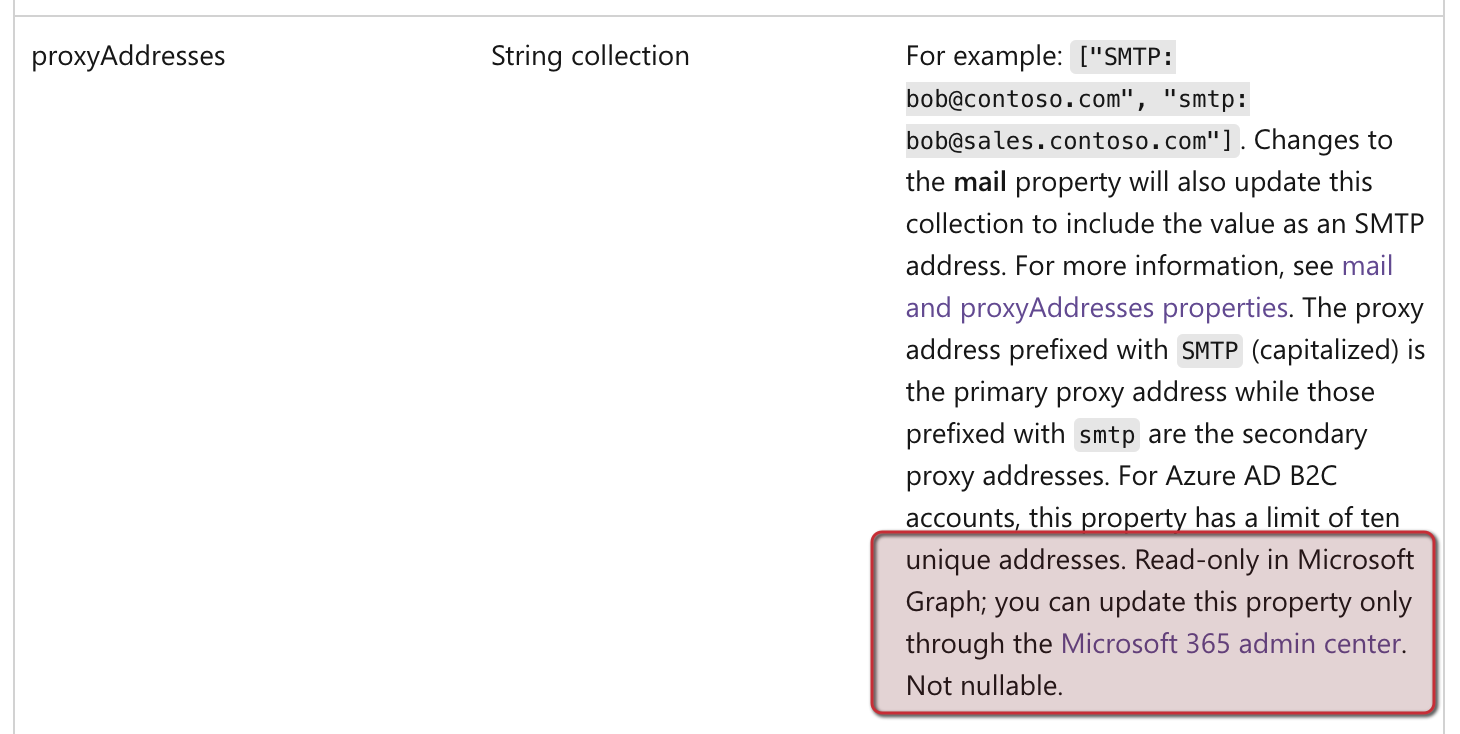
Armed with this knowledge, I knew there had to be a way to manage this. To summarize, the need was to update user mailboxes with new proxyaddresses entries programmatically and expose that capability as a REST API for further integration needs.
The solution
Turns out, the only supported way for managing this is via Exchange Management Shell - in essence, using PowerShell from a terminal to authenticate with Exchange Online and use this cmdlet to manage the change:
Set-Mailbox -Identity <upn> -EmailAddresses @{add="[email protected]"}
To purposefully run this in Azure and expose it as a REST API, Azure Functions is usually the best approach. Azure Automation - while pretty remarkable in itself - is slow and adds too much cruft around this simple requirement. Logic Apps cannot run PowerShell in a controlled way, so that’s also out of the window as an option.
I built an Azure Function using the Consumption tier to run a script that does the following:
- Authenticate with Exchange Online for a given tenant
- Run the
Set-Mailbox - Clean up the PowerShell session for Exchange Management Shell
But it didn’t work. It was a struggle with permissions, authentication, performance, and dependencies.
Lessons learned
I resolved the initial issues by checking what my friend Laura Kokkarinen wrote in her blog post. See it here: How to use Exchange Online PowerShell on Azure Functions with Managed Identity. To outline, she provides a script to configure Manage Identity-based authentication from Azure Function Exchange Online.
Configuring the dependencies - which we need two - was a bit trickier. I added Az and ExchangeOnlineManagement but specified the latest versions. For Az, it’s 10.*, and for ExchangeOnlineManagement it’s 3.
When running my Azure Function, it always failed with different errors. A few of these included:
- Token expired or token used before it’s activated: Signing out of Azure Portal and signing back in resolved this.
- Cannot find dependency
Disable-AzContextAutosave: This is called from the PowerShell profile, and it failed because I didn’t have the exactAzdependency version specified. - Timeouts and general slugginess of the Azure Function: Changed the Azure Function from
Consumptiontier toStandard (S1) App Plan. No timeout issues at all. I also got more performance by configuring the Web App hosting the Azure Function to 64-bit (the default is 32-bit).
With these changes, I exposed a nice little REST API via the Azure Function that allows me to add new proxyaddresses for a given upn. It’s a way to circumvent the limitation of not having a writable property through the Microsoft Graph REST API endpoint.