Checking and removing public access on Azure Storage accounts using Azure Cloud Shell

Today, I received a warning from Microsoft stating that some of my Azure Storage accounts were publicly accessible. I wasn’t entirely certain if this was because of a recent change I’ve done, or perhaps I’ve left one or more Storage accounts open on purpose.
The email recommends disallowing public access for the whole storage account instead of limiting access to specific containers or files only. Admittedly this is a great approach that I’ve perhaps failed to follow on occasion.
I fired up Azure Cloud Shell and queried for Storage accounts with public access. First, I list all the existing Storage accounts to get my bearings:
az storage account list --query [].name 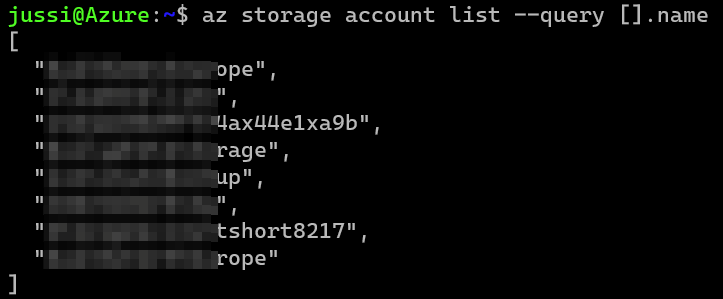
A total of eight Storage accounts. Let’s now see which one of these are exposed to the public Internet. For this, I can query using a property of the Storage account API called AllowBlobPublicAccess:
az storage account list --query [?allowBlobPublicAccess=='True'].name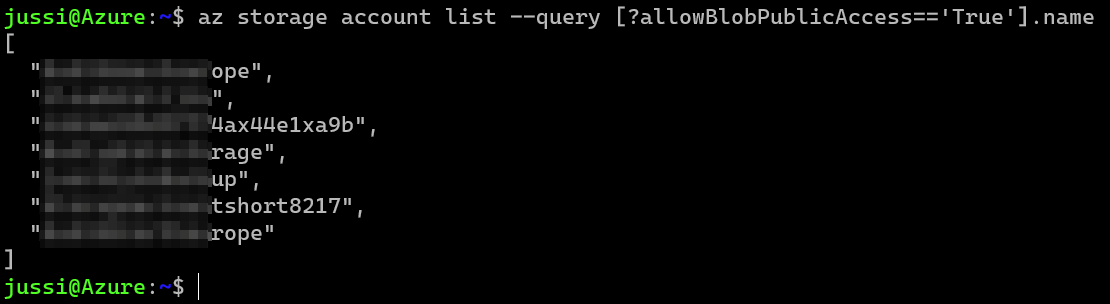
Yikes! That seven Storage accounts, out of eight! Time to close these up and worry about the implications later. Let’s try this first on just one Storage account:
az storage account update --allow-blob-public-access false --name STORAGE_ACCOUNT_NAMEAnd to verify it worked, let’s query again for all Storage accounts with the allowBlobPublicAccess property set to true:
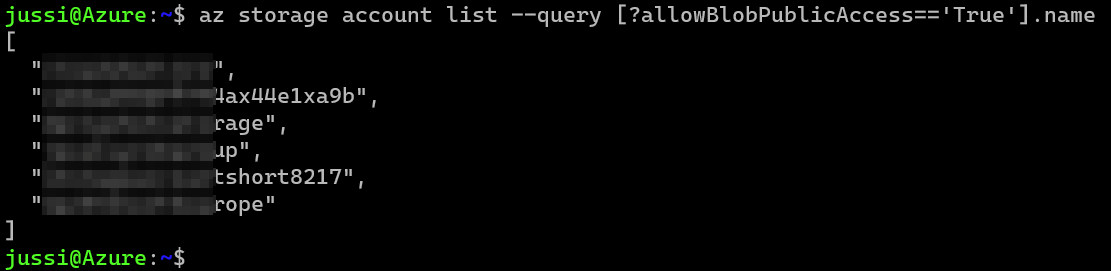
The list contains six storage accounts now! Let’s verify this via Azure Portal by navigating to the first Storage account in the (previous) list and view the property:
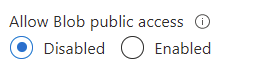
Neat! So I can now run the following to secure all Storage accounts within a given subscription. This is perhaps slightly easier in PowerShell, so I hacked together a simply For-loop in the Bash shell to achieve the same result. The accounts.txt holds the Storage account names I want to manipulate to avoid parsing strings from the original JSON output.
for i in $(cat accounts.txt); do
   az storage account update --allow-blob-public-access false --name $i
done
Finally, querying for any open Storage accounts to verify the results:

All done!
And next time, perhaps configure a more proper Azure Policy definition to avoid such scenarios! 😉