Building a custom content editor for my blog
I wrote recently, that I migrated my blog from a self-hosted Ghost installation, to an Azure-hosted static site, built with Astro. It’s still rocking, and I’m very pleased how smooth the new platform and engine is.
But, as always, things can be better. Building content I want to publish has been tricky. All content is typed with Markdown, and stored as .mdx files in a GitHub repo. Why not just .md? Well, I need some metadata for each blog - like title, the hero image, publish date, and so on. It’s like 10 fields, so I can easily type them up myself.
When it comes down to actual content, I really needed to fix the process. All images you’re seeing here, are stored in a separate Azure Storage account. I cannot and shouldn’t store any of these to a GitHub repo, as the images never change - no point in versioning them. And since they are binary, GitHub probably would complain at some point about the mass of data.
Thus, I needed to plan and build a tool that allows me to do a few things:
- Manage all metadata for a post
- Store all content as Markdown in a specific GitHub repo, in a specific directory
- Save all images, including hero image, to a specific blob in Azure Storage account
- Allow me to retrieve existing posts to update them at a later time
Planning
How hard can it be, you ask? Well, turns out - it’s pretty trivial.
Vibe-coding, a phrase I think I heard about two years ago the first time, gets a bad rap. And I fully understand why. “Let’s do a random prompt, get garbage out, and publish to production!” -vibes. I guess a well-known specialist then coined the phrase agentic engineering, that I do like much more.
For me, it’s about building software now - instead of starting new projects, that never see the light of day.
I use AI as my aid, and it’s indispensable - but it’s far from a random vibe to something that I’ll then use.
For planning, I gathered first what I wanted:
- A standalone tool, that allows me to create content, even if I’m offline (which is atypical for me but I love the idea of being able to produce stuff whenever I want)
- Only needs to work on a Windows, but perhaps a MacOS support wouldn’t hurt
- Allow me to edit content in Markdown without me needing to worry about the syntax. WYSIWYG - if you worked with computers around ~1995, you remember the promise of WYSIWYG.
- Be nice to use - can be clunky, but more fun than awful to hop into
- Allow me to easily make changes down the road, when I actually know how it shapes out
Back in the day, I was super strict that things would have to be built with .NET Framework and C#, and backend would have to be Microsoft SQL, and so on. These days - I don’t care at all. Python, C#, or something works. Backend - just something I can work with, and later change if need be.
I spent about 500K tokens with a few different LLMs to arrive at the setup. I really prefer this approach, as it takes away all stress of “but can I build it”, and instead forces me to shape out my thoughts into something meaningful. Instead of prompting “build an app for editing blog stuff”, I really need to consider the features, functionality and necessities. This takes time, too - and it’s far from vibe-coding something during your coffee break.
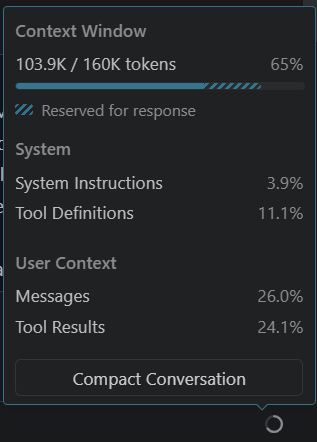 Once I had a plan, I also had my head in place that I knew what I was about to build.
Building
Okay, time to build it! Back in the day, I thought I’d have a big red button with ‘BUILD IT & SHIP IT’ printed on it. Instead, you’ll start executing your plan. I like to split my tasks a bit, so that instead of trying to do one build of a masterpiece, I build the structure first, and piece by piece, start adding capabilities and at each turn, test and verify the direction.
This both seems to bring in good results, but also ensures I’m headed to the right direction.
I spent about two evenings building it - usually, my go-to model is Anthropic’s Claude Sonnet 4.6, but I occasionally use GPT-5.4 as well. Claude Opus 4.7 wasn’t use at all - the 15x multiplier hurts me both mentally, and almost physically now.
Once the core features were built, I started adding little bits of features here and there. Search existing blogs to choose one to edit. Upload the hero image, and provide a list of all resources attached to a blog post (for further troubleshooting). Resize editor font size. Store authentication details securely.
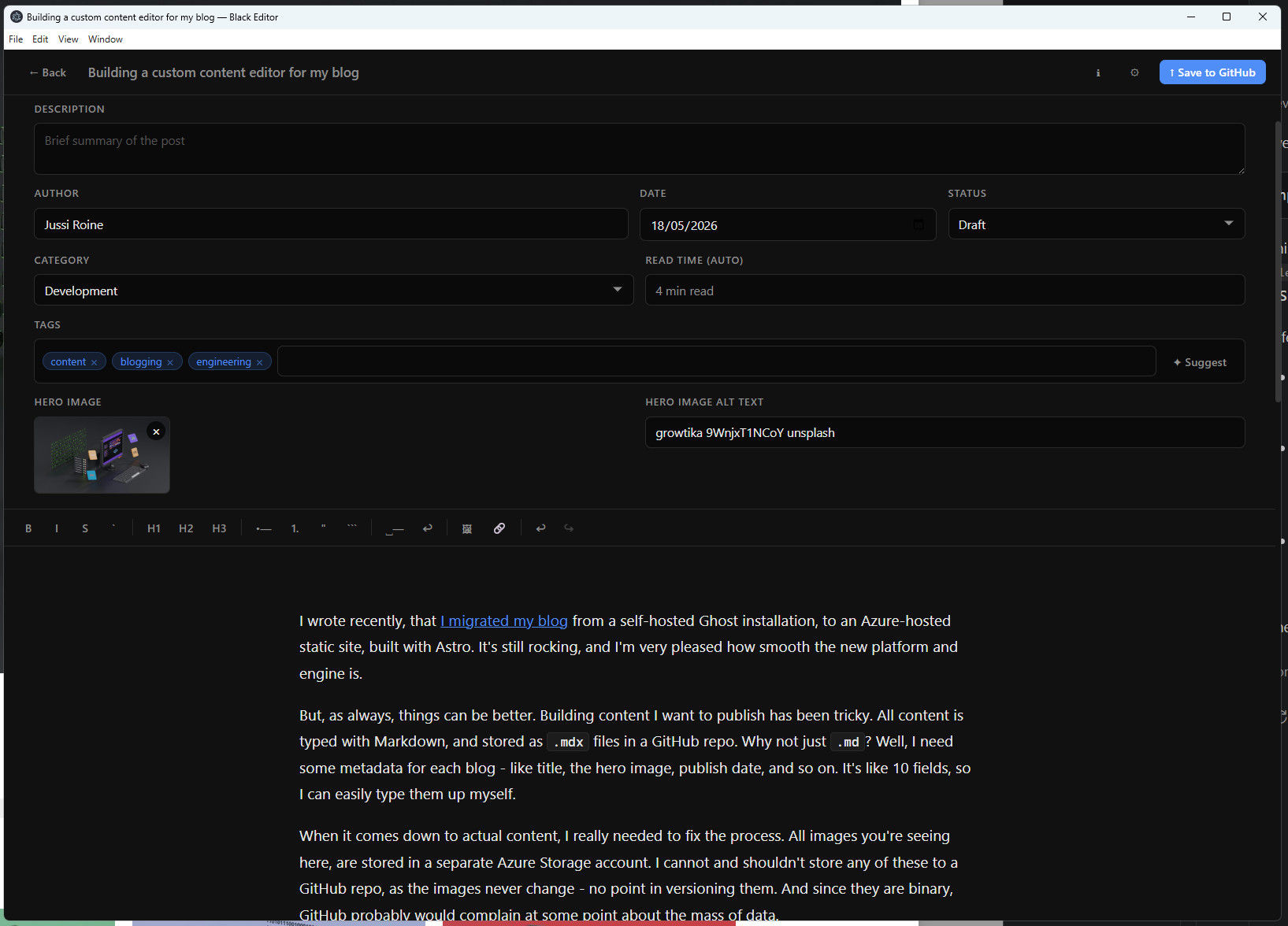 The fun aspect here is that once your solution works, adding new stuff doesn’t mean “edit every file and hope it works”, but they become more surgical - “author field has [Object] [Object] instead of the author’s name” becomes a 2 line change. It’s easy to test, and easy to commit the changes.
I’m writing this blog with the editor. I’m constantly coming up with new ideas - “wouldn’t it be cool to have autosave!”, well yes - so that’s next on my to-do list.
What next?
Well, I’m not entirely sure. This was truly a “scratch my own itch”-type of a pet project. The solution an Electron app, that I might re-compile at a later time but mostly it’s just a glorified Notepad with key changes: ability to manage content across Azure and GitHub at the same time. And the smooth Markdown editor is a must-have.
I might not publish the code, not because it’s super secret, but mostly because this will probably never work for anyone else - the requirements I had were a bit specific, due to content being distributed across two different places. Reach out to me if you feel this is something you would find beneficial, though.