Verify your profile on LinkedIn

As I write this, I realize I’ve been a user on LinkedIn for 7347 days - a little over 20 years. When I joined LinkedIn in late 2003, it was very different from how I see it today. Better? Possibly - it was great for networking. These days, it’s still good for that, but perhaps on a more superficial level.
Even then, it’s one of the few social and business networks I use almost daily. Therefore, I was glad I could verify my LinkedIn identity. It is I who is using it, but it’s also great to have a token of proof for other people.
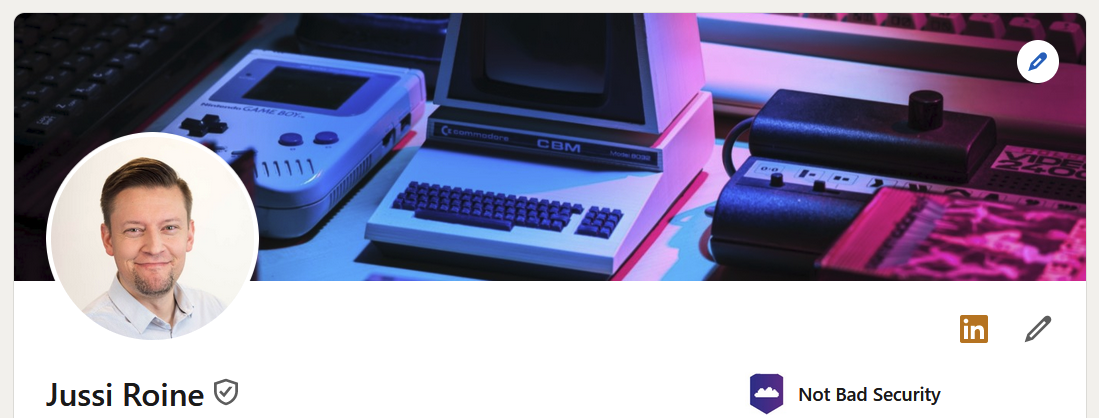
Once you’re verified, this is how it will look on your profile:
The small check mark after your name reveals:
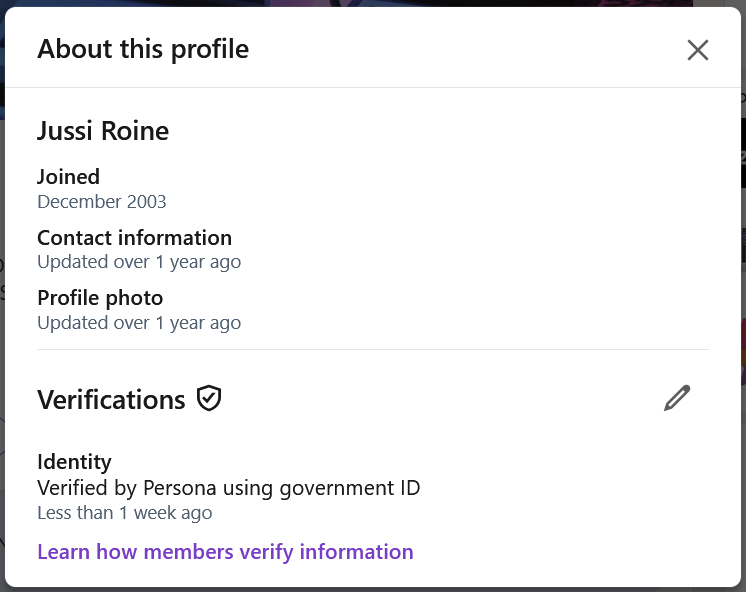
So, in the grand scheme of things - verifying your identity on LinkedIn is a small badge that hopefully evokes trust in others.
Ways to get verified
You can verify yourself in three ways:
- Using a government ID, such as your passport
- Using your work email
- Using an organization-related setup
The first one is the approach I used. It takes 5 minutes. More on that in a bit. Using your work email is fantastic, but it’s unavailable for everyone. Using an organization-related setup is a bit tricky, and also, right now, in a gated preview.
Verifying with your ID
To verify using a government-issued ID - typically your passport - you’ll need the LinkedIn app on your phone. I didn’t have it - as I usually want to avoid apps that are not truly needed. For this exercise, I had to install it.
Click the link next (Get verified) to your name on your device (either in the LinkedIn app or a browser session). This gives you a QR code that, once scanned, will open the LinkedIn app for verification.
The verification process will scan your passport. You can use a photo of your passport or the actual passport. Once scanned, the app will want to utilize NFC to read the same information from your passport. On my Android phone, it’s a bit finicky to get the NFC reader in place, so take your time.
Lastly, a 3D scan of your face is done to tie it together. This takes a few seconds. The whole process is outsourced to a company called Persona, and you’ll need to place your trust in that company to hold your confidential data.
Verifying with other methods
The two other verification methods are more suitable for established organizations and companies willing to set up the necessary systems. One of these is Microsoft Entra Verified ID - it’s not overly complex, but for sure, it’s something your company will need to spin up, manage, monitor, and govern over time.
I’ve done this setup a few times for a couple of talks I’ve delivered, but if I wanted to use this, I’d have to reach out to Microsoft and LinkedIn to get approved for this capability.
The form must be filled out here, requiring a named contact from Microsoft. For detailed instructions on the setup, see here.
In closing
It’s a nice little gesture, and I feel it’s useful for anyone who wants to provide better proof that they are who they claim to be. Will this change how we communicate on LinkedIn? I doubt that. Will this change how we accept new connections? Probably not. But will this change how you consider a business proposal with someone? Possibly.