Best practice: Subscribe to Azure Advisor alerts and recommendations

Recently, I started capturing the numerous best practices and recommended approaches on Microsoft Azure. You can view them all here. But why, though? Microsoft is obviously doing the heavy lifting here – they have the Cloud Adoption Framework (CAF), the Well-architected Framework, and a few other large documents on all things Azure. But sometimes there are little – yet useful l – things you can do on top of these, so I wanted to capture them also.
Today, one of those best practices is on Azure Advisor, the fantastic little service that nudges you to fix and configure things for the better. You might occasionally open it to perhaps view the recommendations in the different categories. There is a better way, however – with alerts and the digest emails.
Configuring Azure Advisors alerts
The benefit of enabling alerts is that you get an immediate notification once Azure Advisor spots a new recommendation in any of your Azure subscriptions. Head over https://portal.azure.com/#blade/Microsoft_Azure_Expert/AdvisorMenuBlade/alerts to configure one.
Click + New Advisor Alert first, and under Condition, verify you have the default values:
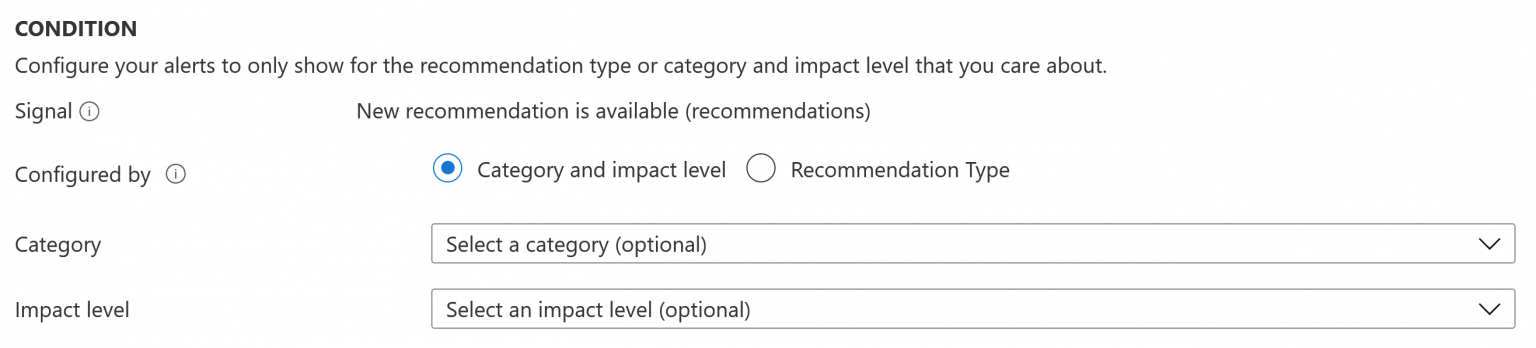
Why defaults? You can obviously opt for more specific signals, but the idea is to get alerted on anything worthwhile in a subscription. The only downside is that you have to re-configure this same setting for each subscription you manage.
Under Action Groups, you can also have the notification delivered through more advanced means beyond email:
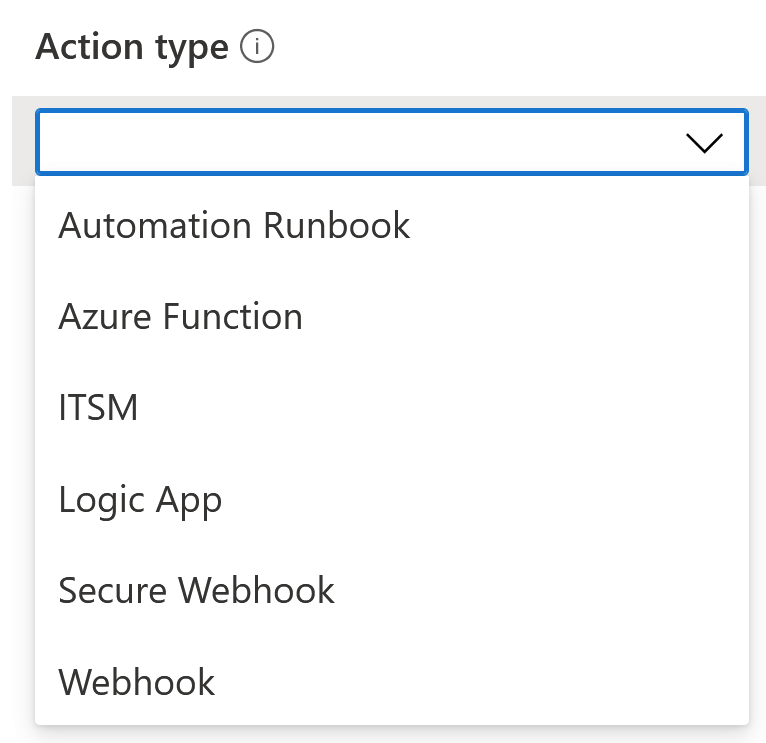
I frequently use a Logic App or an Azure Function, especially if a workflow needs to be defined for the notification. But an email will suffice if someone is reacting to said emails.
Subscribe to recommendation digests
Another recommendation, and something I feel is perhaps even more prominent, is to subscribe to the weekly recommendation digest emails from Azure Advisor. Navigate to https://portal.azure.com/#blade/Microsoft_Azure_Expert/AdvisorMenuBlade/digests and click + New recommendation digest. Under Condition select Weekly:
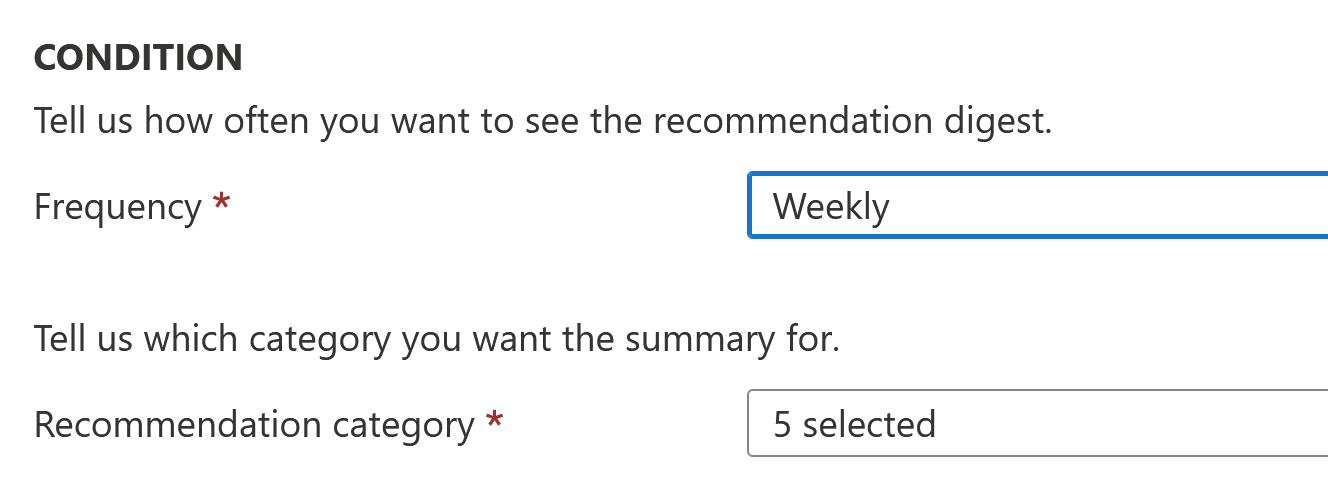
And also select all recommendation categories. This way, you’ll receive a digest email each week with a list of recommended tasks and actions to do.
Here is how the digest email will look:
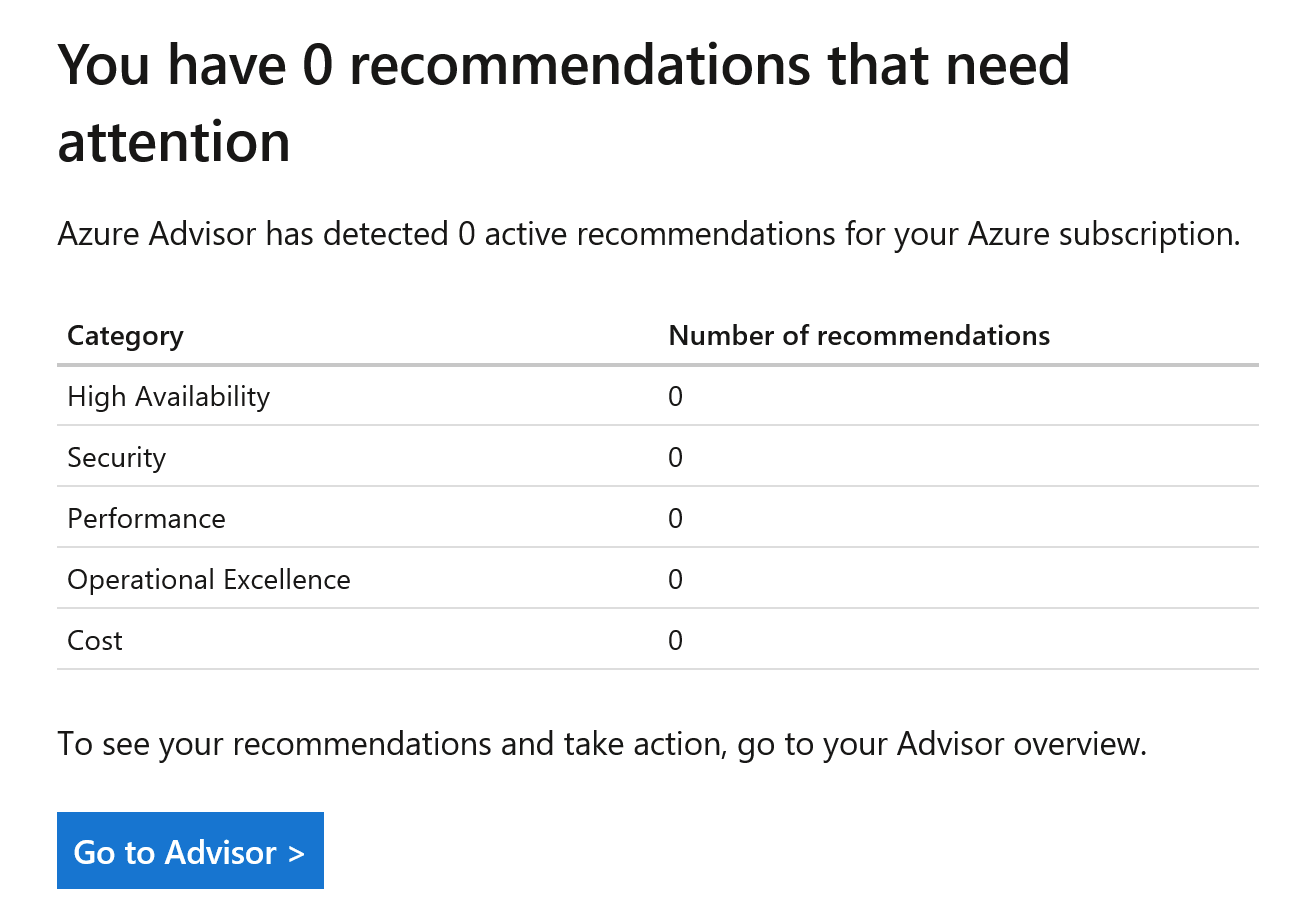
A glance will then allow you to focus on what’s relevant – perhaps security is the first to react to, while cost or performance might come next.